
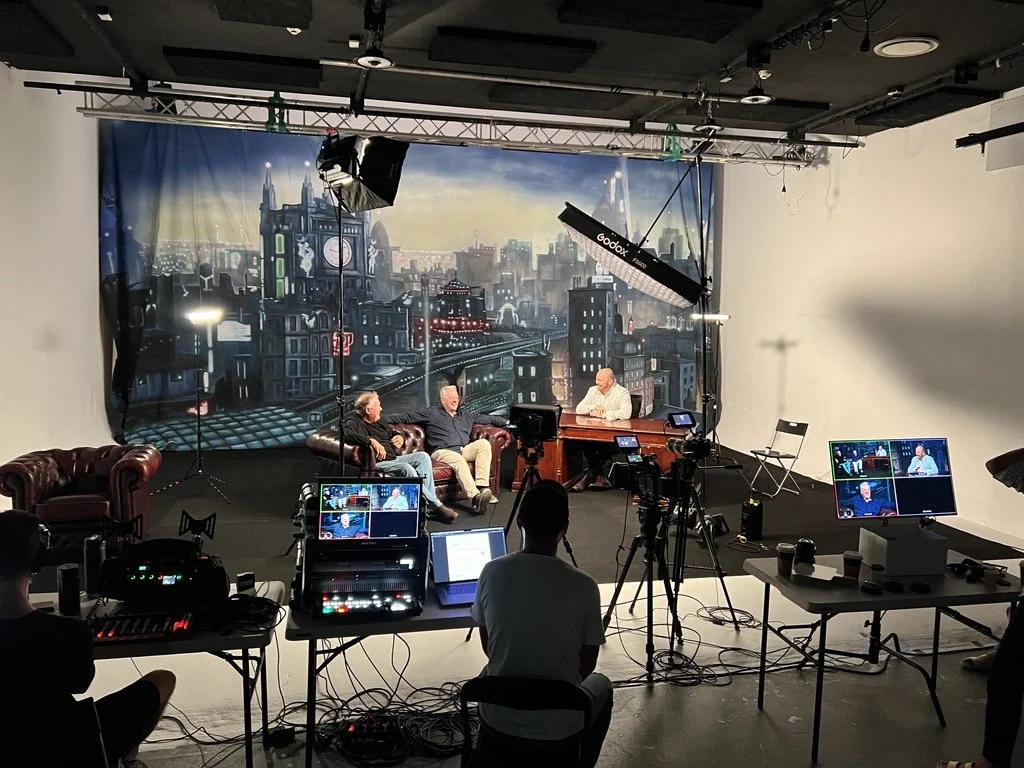
Live Streaming
Live streaming is a great way to have your in-person event streamed to audiences around the world. I work on a range of live streaming events, including:
Corporate town halls
Corporate events
Conferences
Webinars
Company updates
Awards ceremonies
Concerts
Teaching & training
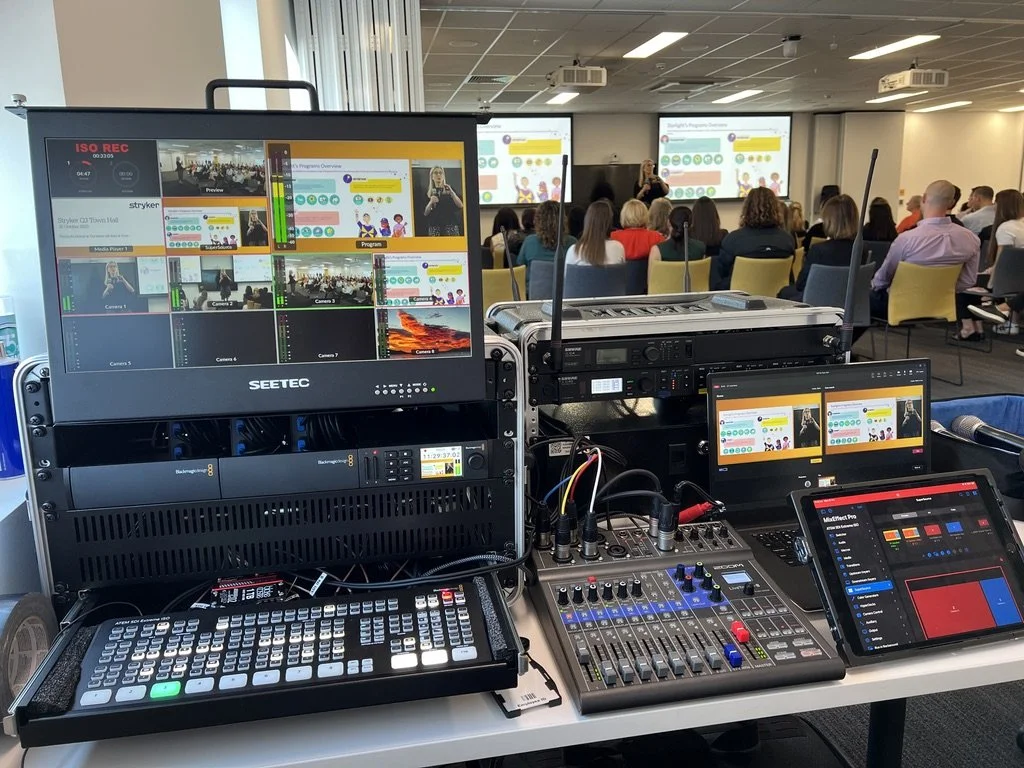
As a DOP, I always aim to create high quality streams, separating them clearly from regular meetings. As an owner/operator of live streaming hardware & camera equipment, I’ve created an efficient workflow and setup for capturing live events and making sure everything runs smoothly. To see the equipment I use, download my equipment list below.

Frequently Asked Questions
For further questions, get in touch and I can find the best solution to fit your needs.
-
Common examples of live streams that I can produce include:
Corporate Town Halls
Corporate Events
Conferences
Webinars
Company Updates
Awards Ceremony
Concerts
Teaching & Training
-
I can livestream to all of the major video and social media platforms such as YouTube, Facebook, Instagram and Linkedin, as well as video conferencing software such as Zoom, Microsoft Teams, Skype, Google Meet and many more.
Any platform that can be live streamed to using a regular webcam, can be live streamed using my hardware.
-
Coming from a DOP background, I have a love for creating images that shine and look cinematic. For live streaming, through the use of large sensor cinema cameras and a mix of zoom and prime lenses, it’s possible to create a super cinematic live stream that engages your audience and clearly separates it from the regular, everyday online meetings.
Through the optional use of additions such as motorised camera sliders to create cinematic movement, wireless gimbal camera operators for flexibility and dynamic angles, wireless DMX lighting to create flattering or dramatic lighting and many other options, there are so many options for creating a super high quality and polished live production.
I’m always happy to chat about any crazy ideas we can bring to life!
-
During live stream productions, dual recordings are always enabled to ensure that the event is captured in full and in the highest quality possible. This recording can then be uploaded separately for audiences to view and takes the limitation of some video conferencing software reducing the resolution of streams when live.
All individual cameras are also recorded so that any changes necessary to edit points or different export requirements are possible in post production, should that be required.
-
Yes - remote guests can be integrated in to live streams, however this takes some setup, planning and additional equipment prep prior to the day.
Where possible, a separate meeting will be setup with the remote presenter to ensure a smooth experience. Some platforms such as Microsoft Teams require admin settings to be changed before the day to enable clean feeds of remote presenters as an output, so it’s always ideal to set up separately where possible.
-
Yes - through chat moderation of applications such as Microsoft Teams or Zoom, or third party applications such as Slido, presenters and guests can interact between each other creating a true hybrid experience. Chat moderation can be handled by a company member or additional crew member.
-
Live streams can be created as private, public or pay per view events depending on the requirements of the particular production. Many corporate events require a live stream to only internally to staff via their in house systems already in place such as Microsoft Teams or Zoom, and other concerts or live shows may stream out to a worldwide audience direct to platforms such as YouTube.
It is also possible to stream to multiple platforms at once, should this be required.
-
As my live streaming equipment setup is custom built in to rack cases and designed to be portable, I can produce live streams for nearly any location.
Integrating with an AV system that is built in to an already existing room can be challenging, as every building has a different configuration and may not allow for adding in additional equipment, or getting a feed of existing equipment.
For displaying vision; if there are TV’s or Projectors already within the room that can be plugged in to a laptop via HDMI, these screens will be able to be used to present slides, videos and remote guests. For rooms without a TV or Projector that require slides or presentations to be shown, these can be hired.
For audio; using microphones and speakers already built in to a room will depend on how the room is configured, and the access available to receive and send audio to this system. Generally I recommend using independent PA speakers and microphones that will ensure everyone in the room and online hears clearly.
-
Prior to the day if graphical elements such as holding slides, lower thirds or branded Picture in Picture boxes are being created, these elements will need to be completed before the day. Any logos, names & titles and branding guidelines should be sent ahead of the stream to ensure these can be created on time.
On the day of the stream I will need access to power, and where possible a hard wired ethernet internet source. Internet reliability is critically important for a live stream, so a hard wired internet source is always preferred over WiFi. Where it is not possible to get a hard wired connection, a WiFi connection can be used as a backup. This source will be combined together with 5G internet modems that I bring to ensure a fast and stable connection.
-
When live streaming, a live cut of all cameras, as well as any additional content will be cut to. This can include slides from a presentation, video playback for pre-prepared video clips, a remote guest, audience interaction via slido etc, or any other video or image source.
These sources can be cut to individually, or can be shown alongside each other in a branded configuration. An example of this would be a slide presentation, where the slides are seen in a box, the presenter is seen in a separate box on side of the screen, as well as custom branding at the bottom of the screen.
Get in touch
Contact me directly, or fill out the enquiry form. As I may be on shoots during the day, feel free to leave me a voicemail if I’m not available.